Most calendar apps are built for productivity. Sage-Almanac is built for memory.
It started as a simple idea: a shared space where two people could write about their day, mark the moments that mattered, and look back on them together. No notifications, no tasks, no deadlines. Just dates, notes, and the small things worth remembering.
What ended up being a relatively calm idea turned into a surprisingly deep engineering project — real-time sync, Convex file storage, invite token hashing, streak tracking, and a handful of details that needed getting right.
What It Is
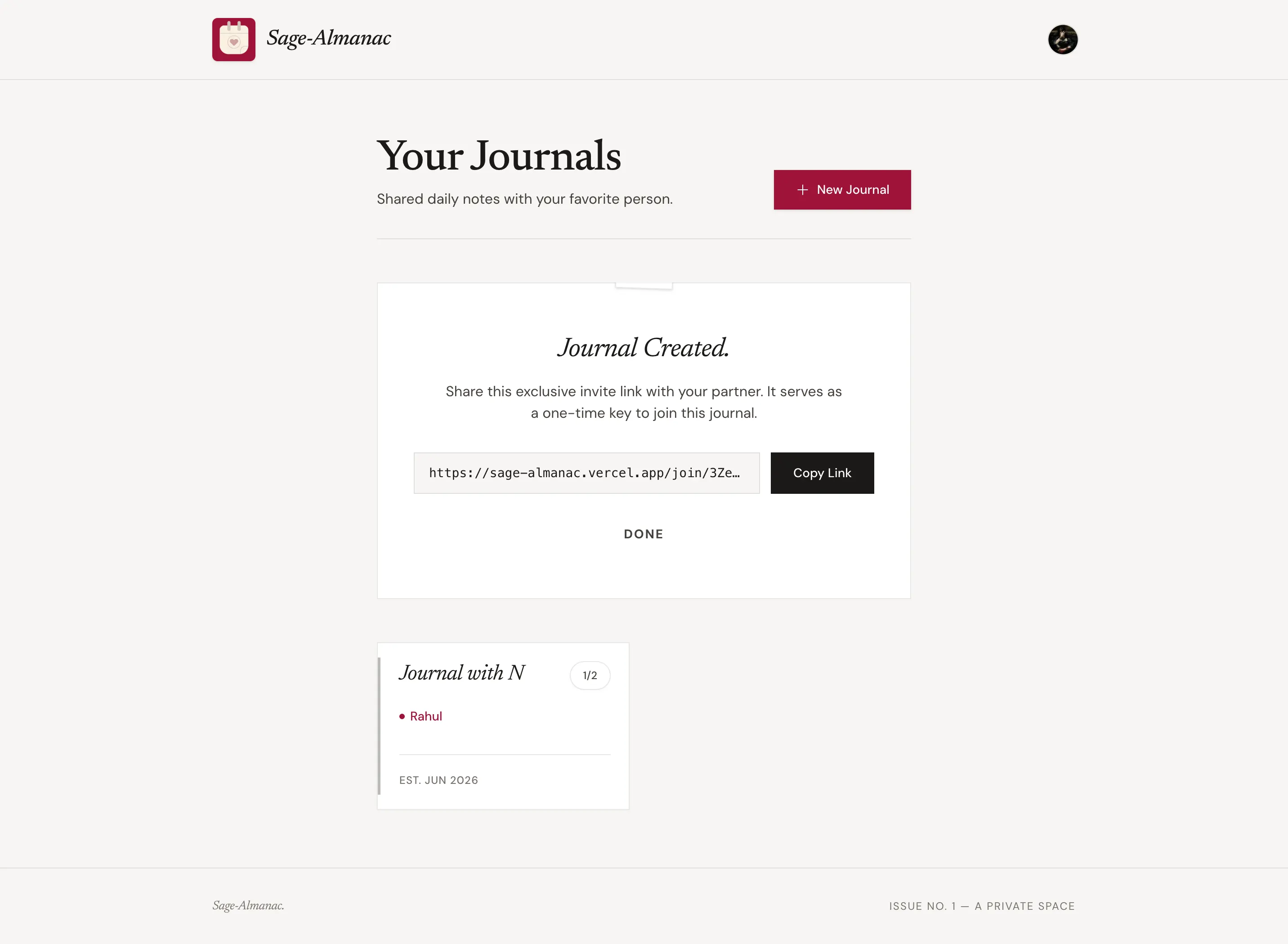
Sage-Almanac is a private shared journal for two people. You create a journal, name it after your partner, and get a single-use invite link. They join, and from that point you both share the same calendar — writing entries, attaching photos, and marking special days.
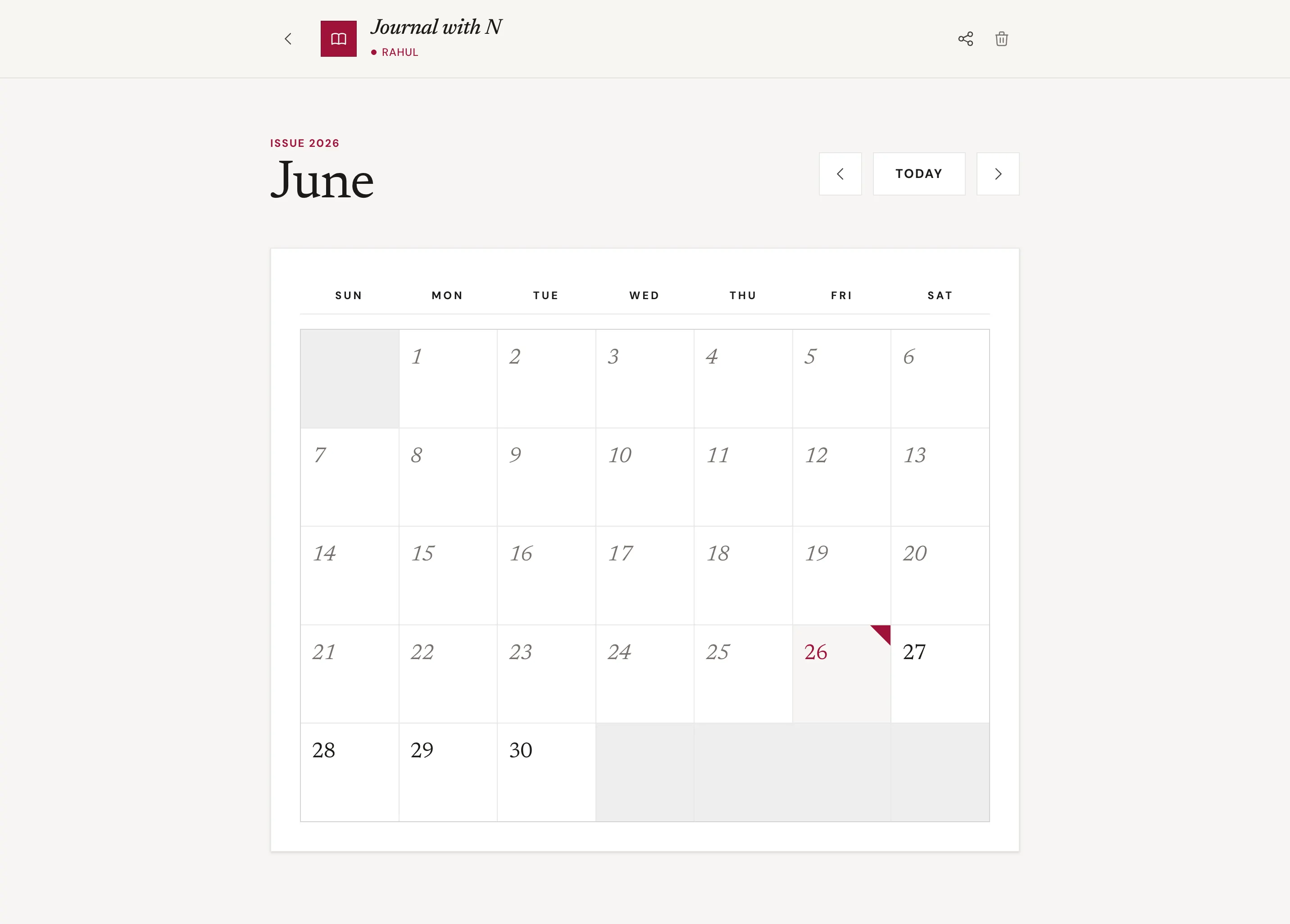
The aesthetic leans heavily editorial: serif fonts, a muted palette, tight letter-spacing, sharp borders. Closer to a Moleskine than a Google product.

The Stack
- Next.js 15 (App Router) — the frontend and routing layer
- Convex — real-time database, mutations, file storage, and serverless functions
- Clerk — authentication, with an anonymous fallback for browsing without an account
- Framer Motion — page transitions, modal animations, staggered calendar entry
- Tailwind CSS v4 — CSS custom properties for the design tokens
The interesting part of this stack is Convex. It's not a traditional REST or GraphQL backend — it's a reactive database where queries live-update the UI automatically. Write a note on one device; it appears on the other without a refresh. That real-time behavior comes essentially for free.
Invite Tokens: One-Time, Expiring, Hashed
The invite system was the first thing I got serious about. The URL someone clicks to join a journal is a raw token — it should be single-use and expire after 7 days.
On the backend, the raw token is never stored. Only a SHA-256 hash (salted with a server secret) is persisted:
const rawToken = generateToken(16);
const tokenHash = await hashToken(rawToken, getSalt());

await ctx.db.insert("calendars", {
  inviteTokenHash: tokenHash,
  inviteExpiresAt: Date.now() + 7 * 24 * 60 * 60 * 1000,
  // ...
});
When someone visits the join link, the raw token in the URL is hashed again and compared — if it matches and hasn't expired, they're in. The token is then nulled out so it can't be reused.
One thing I ran into: Convex runs module-level code during its analysis phase (before environment variables are injected). A naive module-level if (!SERVER_SALT) throw would crash every convex dev push even when the variable was correctly set in the dashboard. The fix is a lazy getter called inside handler bodies only:
function getSalt(): string {
  const s = process.env.SERVER_SALT;
  if (!s) throw new Error("Set SERVER_SALT in your Convex environment variables");
  return s;
}
Small thing. Cost me a debugging session. Worth documenting.
Anonymous Users
A design constraint I wanted to hold: you can browse your shared journal without signing in — see the calendar, read entries, see who wrote what. But to save an entry, you need an account.
Convex mutations resolve users through a small resolveUser helper that checks for a Clerk identity first, then falls back to a locally generated anonymous ID stored in localStorage. Notes gated the other way: addNote throws if the resolved ID starts with "anon_".
const userId = await resolveUser(ctx, args.anonymousId);
if (userId.startsWith("anon_")) {
  throw new Error("Sign in to save entries");
}
The SignInButton from Clerk renders in place of the textarea when the user isn't authenticated — no redirect, just a modal.
Photo Attachments
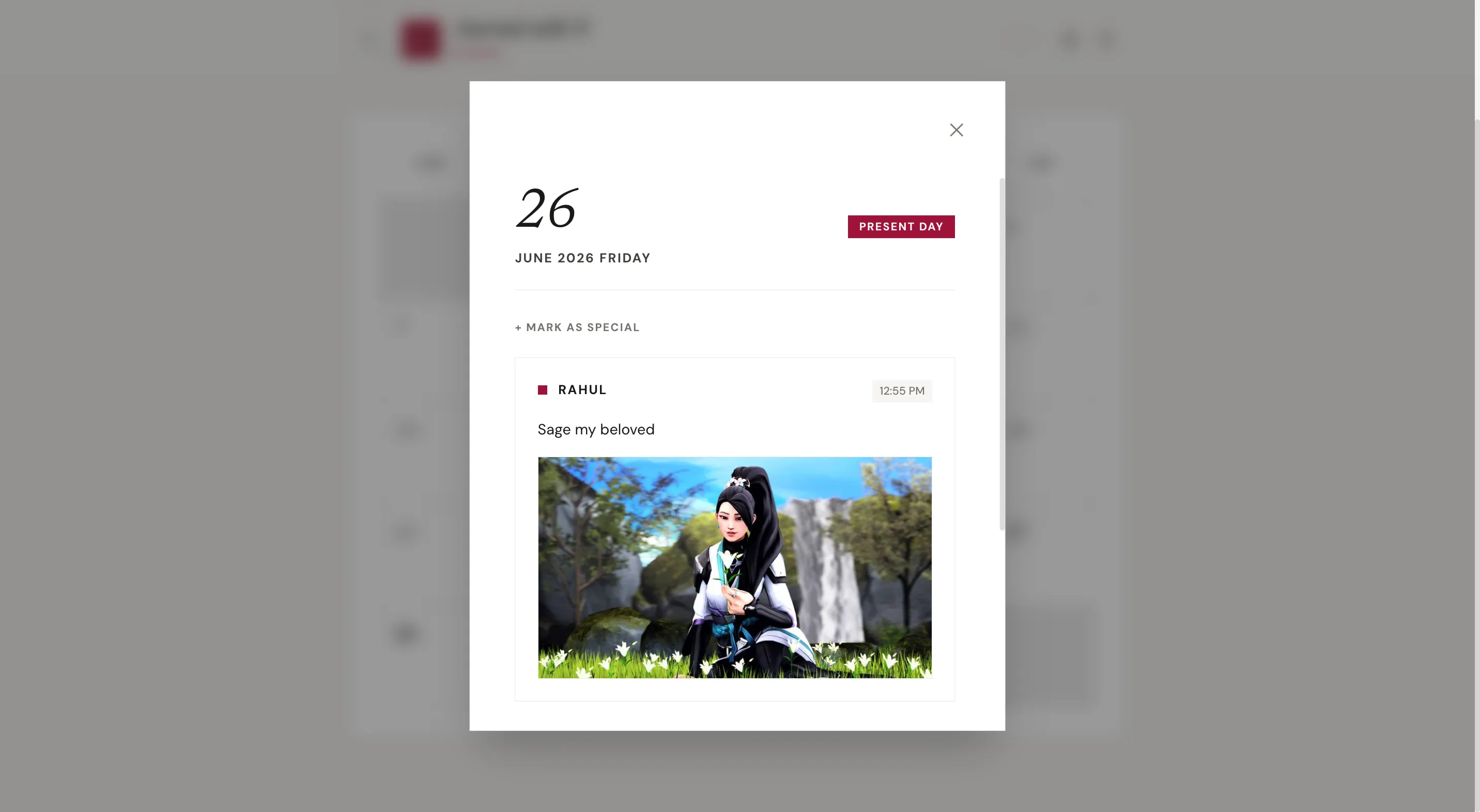
Each journal entry can have a single image attached. The upload flow uses Convex's built-in file storage:
- The client calls
generateUploadUrl— a Convex mutation that returns a one-time upload URL - The client POSTs the file directly to that URL
- The response contains a
storageId, which gets passed toaddNote - When fetching notes,
ctx.storage.getUrl(note.imageId)resolves the ID to a CDN URL
The upload button lives inside the textarea, absolute-positioned at the bottom-right with pb-10 on the textarea to make room. Uploading, previewing, and removing the image all happen before submission.
One detail: when a journal is deleted, every note's imageId needs to be cleaned up via ctx.storage.delete() — otherwise the files stay in Convex storage indefinitely. Same when a participant is removed.
for (const note of notes) {
  if (note.imageId) await ctx.storage.delete(note.imageId);
  await ctx.db.delete(note._id);
}
Streak Counter
The streak counter is probably the feature I thought about the longest. The definition I settled on: a streak counts a day only when both partners have written an entry for that day. One person writing every day isn't a shared streak.
The query looks back 90 days and walks backward from today:
// For each of the past 90 days, check if both participants wrote
for (let i = 0; i < 90; i++) {
  const date = formatDate(subtractDays(today, i));
  const authors = new Set(notesOnDay(date).map(n => n.participantId));
  const bothWrote = participantIds.every(id => authors.has(id));
  if (!bothWrote) break;
  streak++;
}
A single missed day resets it. That felt right — it keeps the streak meaningful.
Special Day Markers
Any date can be starred — an anniversary, a first, a day that just felt significant. Markers are stored in their own markers table with a calendarId, date, and label. A by_calendar_date index makes upserts cheap.
On the calendar grid, starred days show a small ★ in the top-left corner of the cell. Clicking a marked day in the day modal reveals the label, with options to edit or remove it.
The schema:
markers: defineTable({
  calendarId: v.id("calendars"),
  date: v.string(),
  label: v.string(),
  createdBy: v.string(),
  createdAt: v.number(),
})
  .index("by_calendar", ["calendarId"])
  .index("by_calendar_date", ["calendarId", "date"]),
The Design
The design is the part I'm most quietly proud of. It doesn't use a component library. Every element is built from scratch with Tailwind and CSS custom properties:
--color-primary: #8B7355;
--color-surface: #FDFCF9;
--color-border: #E8E0D0;
--color-text-primary: #2C2C2C;
--color-text-muted: #9B8E7E;
The calendar grid uses a gap-[1px] bg-[var(--color-border)] trick to render a 1px grid line between cells without borders on each cell individually — gives it a clean, editorial separation.
Framer Motion handles the calendar entry animation with staggered children, and AnimatePresence drives the day modal. The modal mounts as a portal, which avoids stacking-context issues with the calendar grid.
What I'd Do Differently
Convex transactions. Right now, deleting a calendar involves several sequential mutations (notes, storage, participants, calendar). If one step fails mid-way, the data is partially deleted. Convex doesn't have multi-document transactions, so the mitigation is ordering operations from least-to-most-critical. Worth knowing upfront.
The anonymous ID key. The localStorage key for the anonymous ID is "sage_anonId" — a relic from the project's original name. I deliberately didn't rename it to avoid breaking existing users, but it's a detail that would haunt a future developer reading the code cold.
Image editing. Right now if someone wants to change a photo on an existing note, they'd have to delete and rewrite it. The old imageId would be orphaned in storage. Note editing isn't built yet — but if it were, the mutation would need to delete the previous storage object before setting the new one.
Where It Lives
Sage-Almanac is deployed on Vercel (frontend) and Convex (backend). The whole thing — real-time sync, file storage, auth, serverless functions — runs on the free tiers of both platforms.
It's private but the code is on GitHub if you want to dig in. The core idea is simple. The interesting parts are in the details.
// END_OF_TRANSMISSION